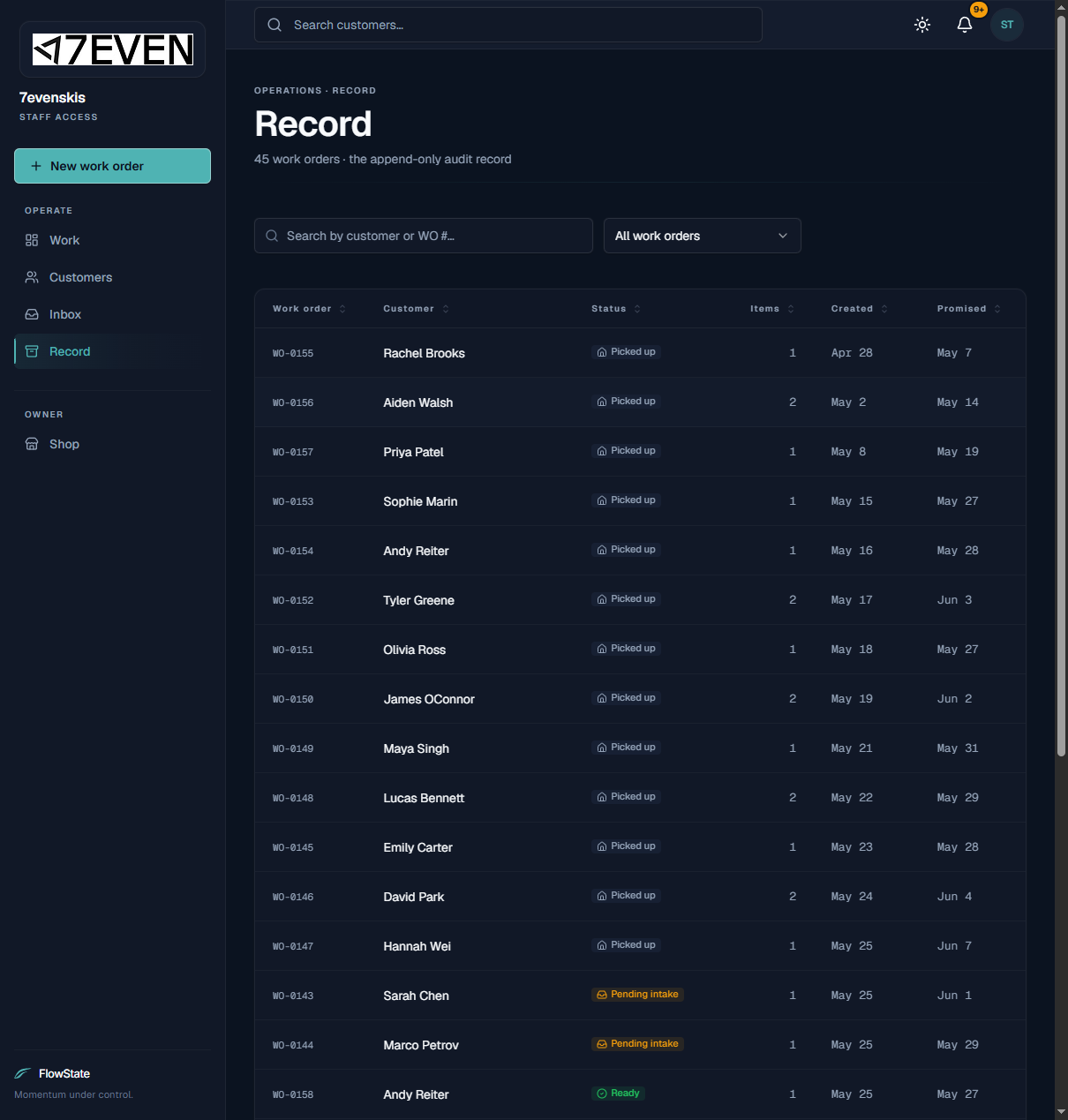
The Record is your shop's complete history of work orders — every job, including ones that are finished and picked up. While the Work board shows only active jobs, the Record is where you go to look something up after the fact: "When did we tune Sarah's skis?" or "What was on that order last month?"
Who can use it
- Everyone on your shop's team can use it.
How to use it
Open the Record
- Click Record in the left menu. The header shows the total number of work orders.
Search and filter
- Type into Search the record to find an order by customer or order number.
- Use the status dropdown (for example, All work orders) to show only a certain stage — such as picked-up orders.
Sort the columns
- Click a heading to sort: Work order, Customer, Status, Items, Created, or Promised.
- Use the page controls at the bottom to move through results and change how many rows show.
Open an order from the Record
- Click any row to open that work order and see its full details.
What to expect
- The Record includes every order — active and finished — so totals here are larger than the Work board.
- Each row shows the order number, customer, current status, number of items, the date it was created, and the promised date.
- Picked-up orders stay in the Record permanently for your reference.
Limitations
- The Record is a history you read and search. You manage and change jobs from the work order itself (see Managing a Work Order).
- It shows your shop's orders only.
Frequently asked questions
How is the Record different from the Work board? The Work board shows active jobs you're still working. The Record shows everything, including completed and picked-up orders.
Can I find a customer's full history here? Yes — search their name. You can also see their active jobs on their profile in Managing Customers.
Can I export the Record? Not from the app. The Record is for searching and sorting on screen. If you need data pulled out, contact FlowState.
Why do some orders show no promised date? Orders that haven't been confirmed yet (still pending intake) may not have a promised date set.
Troubleshooting
- I can't find an order. Try the order number (like WO-0152) or the customer's email. Clear any status filter back to All work orders.
- An order I expected to be active shows as picked up. It was closed out at pickup. That's normal — open it to see the details.
- The list seems short. You may be on the first page or have a filter applied. Check the page controls and the status filter at the top.