The work-order line, end to end.
FlowState is one continuous system from the moment a customer drops off gear to the moment they pick it up. Each pair has a status, a place on the board and a record that stays.
A lifecycle, not a sticky note
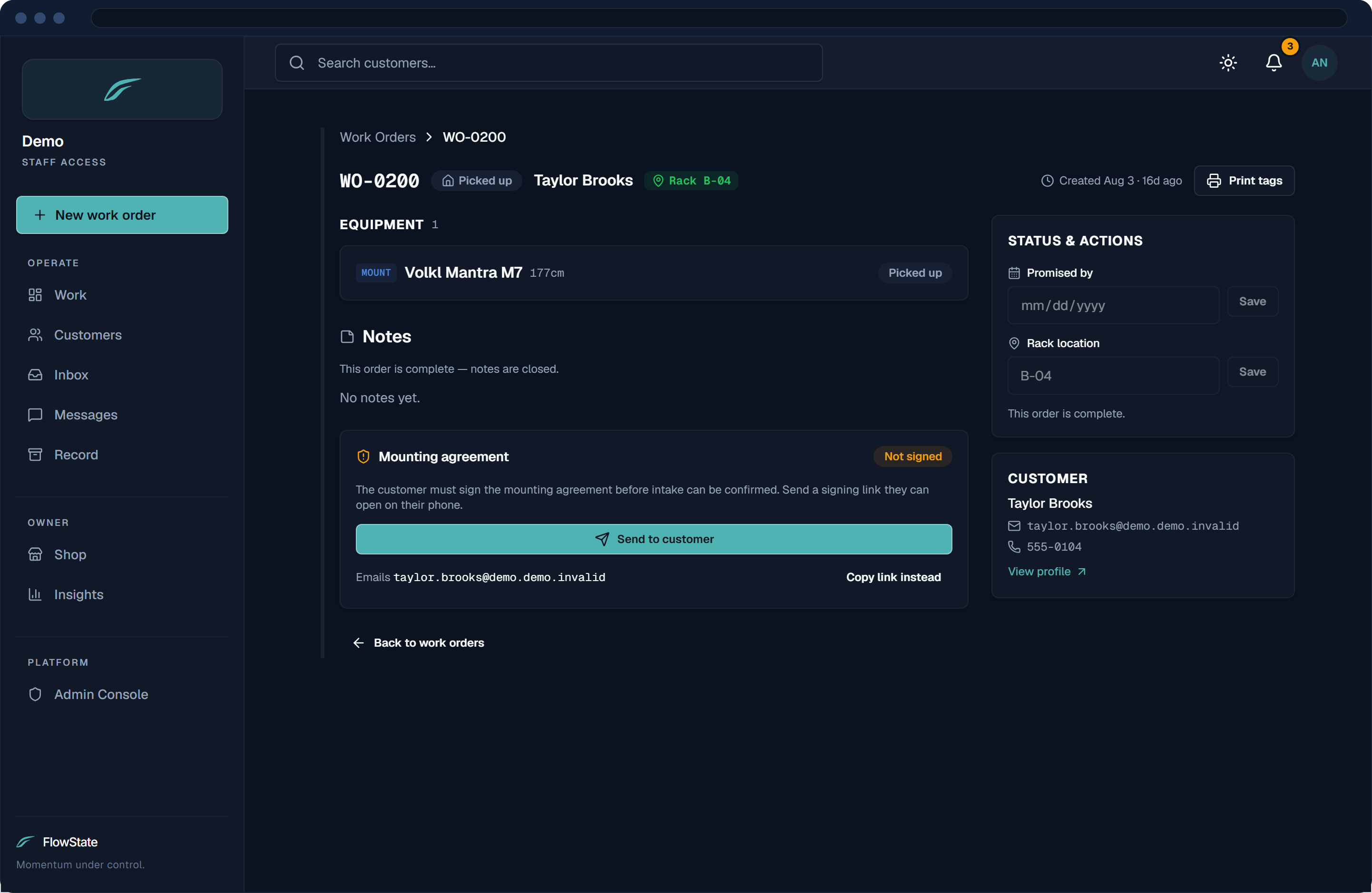
Each pair moves from pending to in progress to done, and the order’s stage follows, from intake to ready to picked up. When the last item is racked, the ready notice goes out and the order moves on by itself. Nothing is deleted.
- Clear states for every pair
- The order follows its items
- Orders are never deleted
Counter intake, plus an online request page
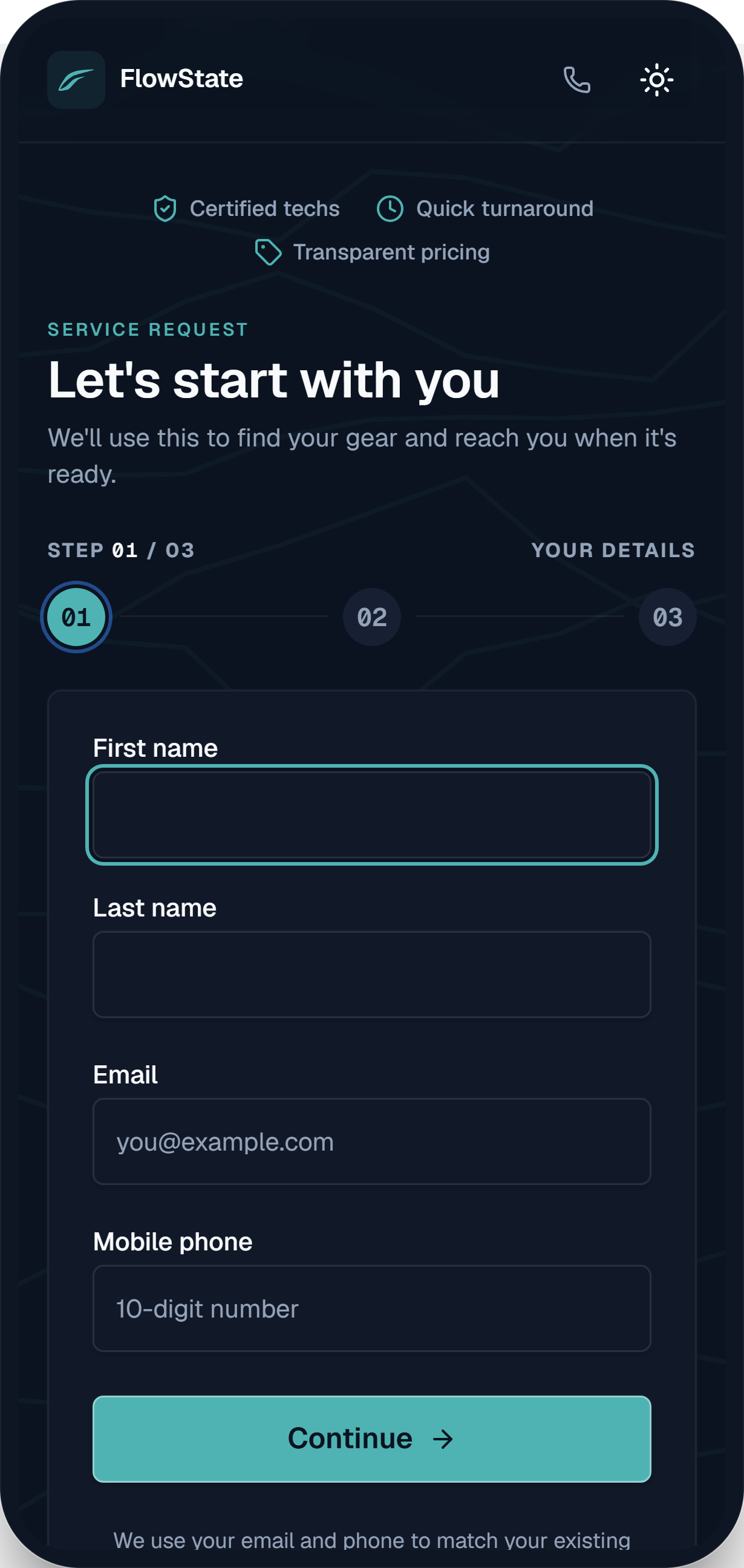
Staff enter walk-ins at the counter. Customers can also send a request from your shop’s own page. Online requests are bot-checked and land in your queue as pending, and nothing starts until staff confirm.
- Counter intake in the same system
- An online request page per shop
- Staff confirm before work begins
Service history that stays
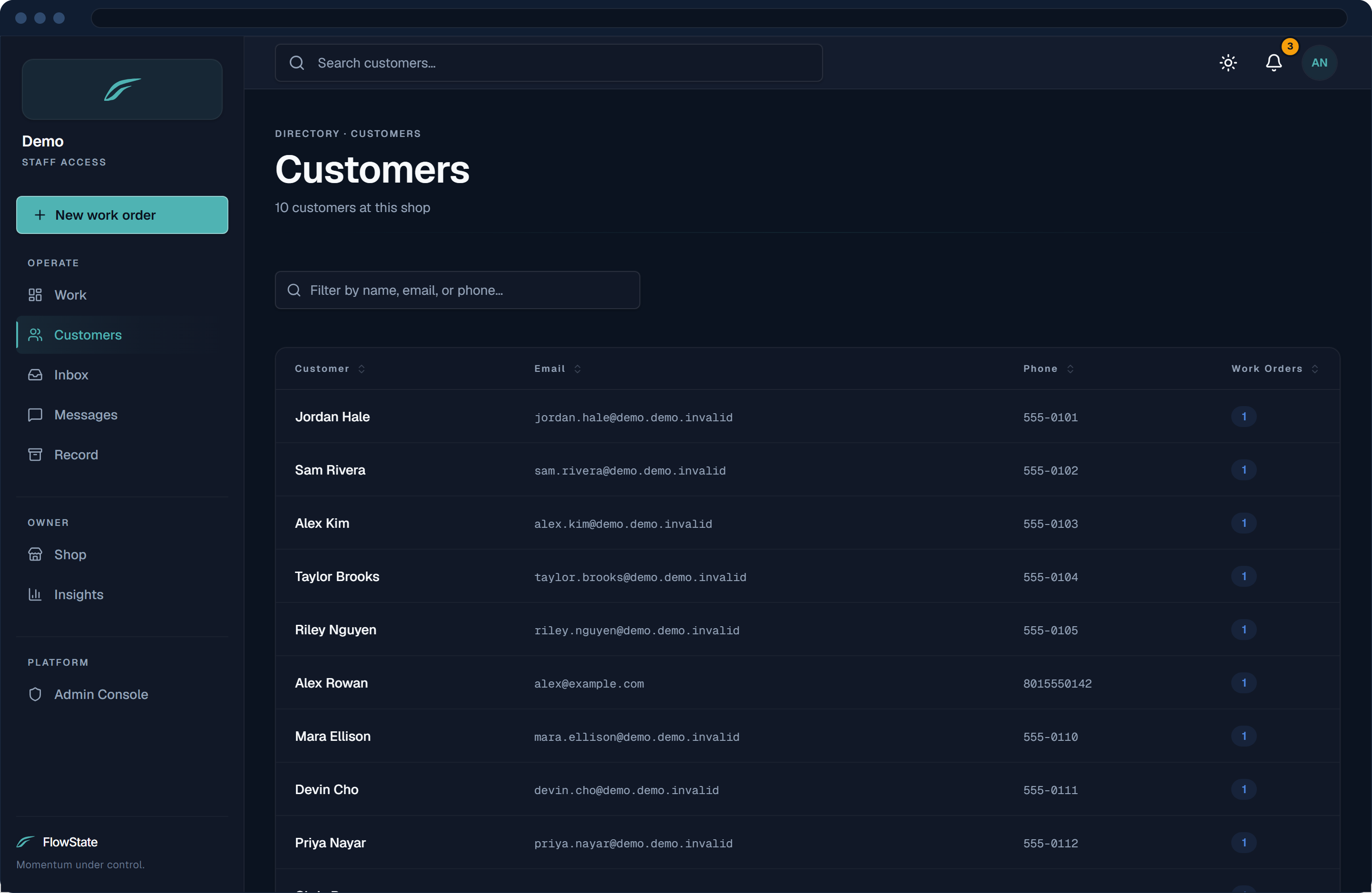
Every order your shop takes is kept. Look up a customer’s past orders, the gear and services on them, and the notes from the bench. Nothing is deleted.
- Search by customer or order number
- Past orders keep their gear and services
- Bench notes kept with the order
Scoped to your shop
Staff see their own shop’s queue and orders, and only the customers the shop has served. The shop is worked out from its own web address, never from the browser. A customer served by two FlowState shops has one contact record that both can see.
- Separation enforced in the app
- Tested on every build
- Each location runs as its own shop
Your customers can text the shop, and get an answer.
Texting is live at 7even Skis in South Salt Lake today. For a new shop, it’s set up during onboarding once the carriers approve, usually about 10 to 15 days.
- A text with a private tracking link when the work order comes in.
- A pickup alert when every item is done and racked.
- Whatever they text back, in one inbox beside their work orders.
Summit Ski & Board
(801) 555‑0142
Summit Ski & Board: Track your service order WO-1042 here: findflowstate.app/track/9ptQ2v Reply STOP to opt out, HELP for help.
Automatic · on drop-offSummit Ski & Board: Hi Dana, your gear is ready for pickup. Reply STOP to opt out, HELP for help.
Automatic · last item rackedCan my wife grab them? She’ll be by around 5.
Of course. We’re open till 7, I’ll leave them at the counter under your name.
Sent by Kyle, from the inbox
See the whole line on your own shop.
A private 7-day demo, pre-loaded with sample customers and work orders. Confirm your email and you’re in — no card required.
No card · 7 days · your own private shop
The service side of your shop, in one system.
From a customer’s first tap to the durable record long after pickup — here’s exactly what FlowState does today.
An online way in for customers who want one. Walk-ins still start at the counter.
Public, per-shop intake page
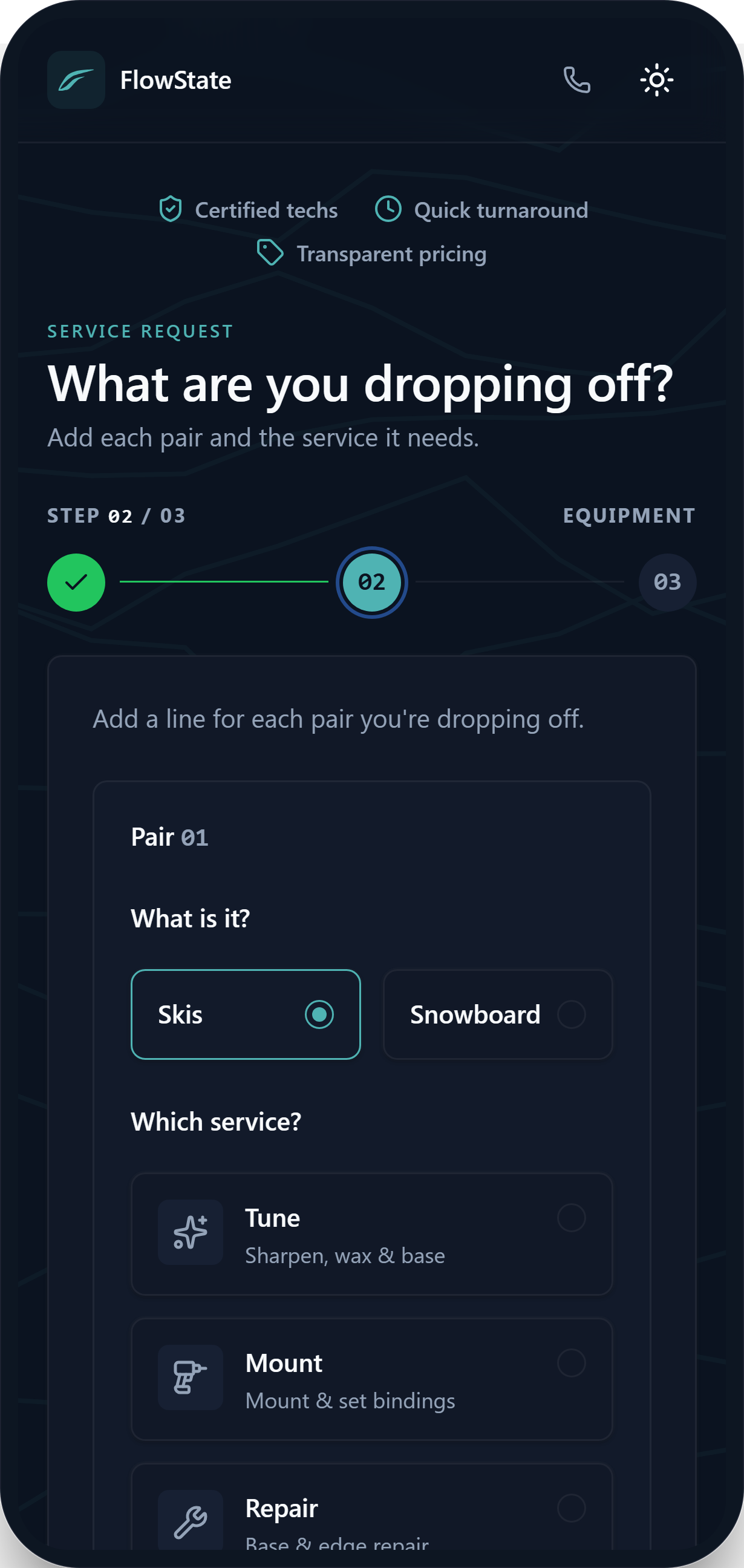
A link in your shop’s name lets customers list their gear and the service it needs from a phone. No account and no app to install.
Recognizes returning customers
A repeat customer’s equipment and boots are matched from their email and phone, so they reuse gear that’s already “on file” — faster intake for the customer and the shop.
Tune, mount & repair with estimates
Customers pick a service per pair — tune, mount, repair, or your custom services — across multiple pairs, with an upfront estimate from your published prices.
Bot-protected submissions
Every public request passes a bot check before it reaches your queue, so the front door stays open without being abused.
Signed, stored, and tied to the customer for good.
Signed mounting agreements
For a mount, the customer reads your mounting agreement, draws a signature and types their legal name on their phone, before the skis reach the bench. Staff can record a paper agreement instead.
Digital copies stored in the cloud
Each agreement signed in FlowState is saved as a PDF and kept with that work order and the customer’s record, so you can open it again later.
Durable service history
Work orders are never deleted. Every order your shop takes stays on record with its gear, services and bench notes, and you can look it up by customer.
Per-order staff notes
Append-only notes on each work order keep the front counter and the back bench on the same page, without anything getting overwritten.
Run the line item by item — status follows the work, not the other way around.
One shared Service Queue board
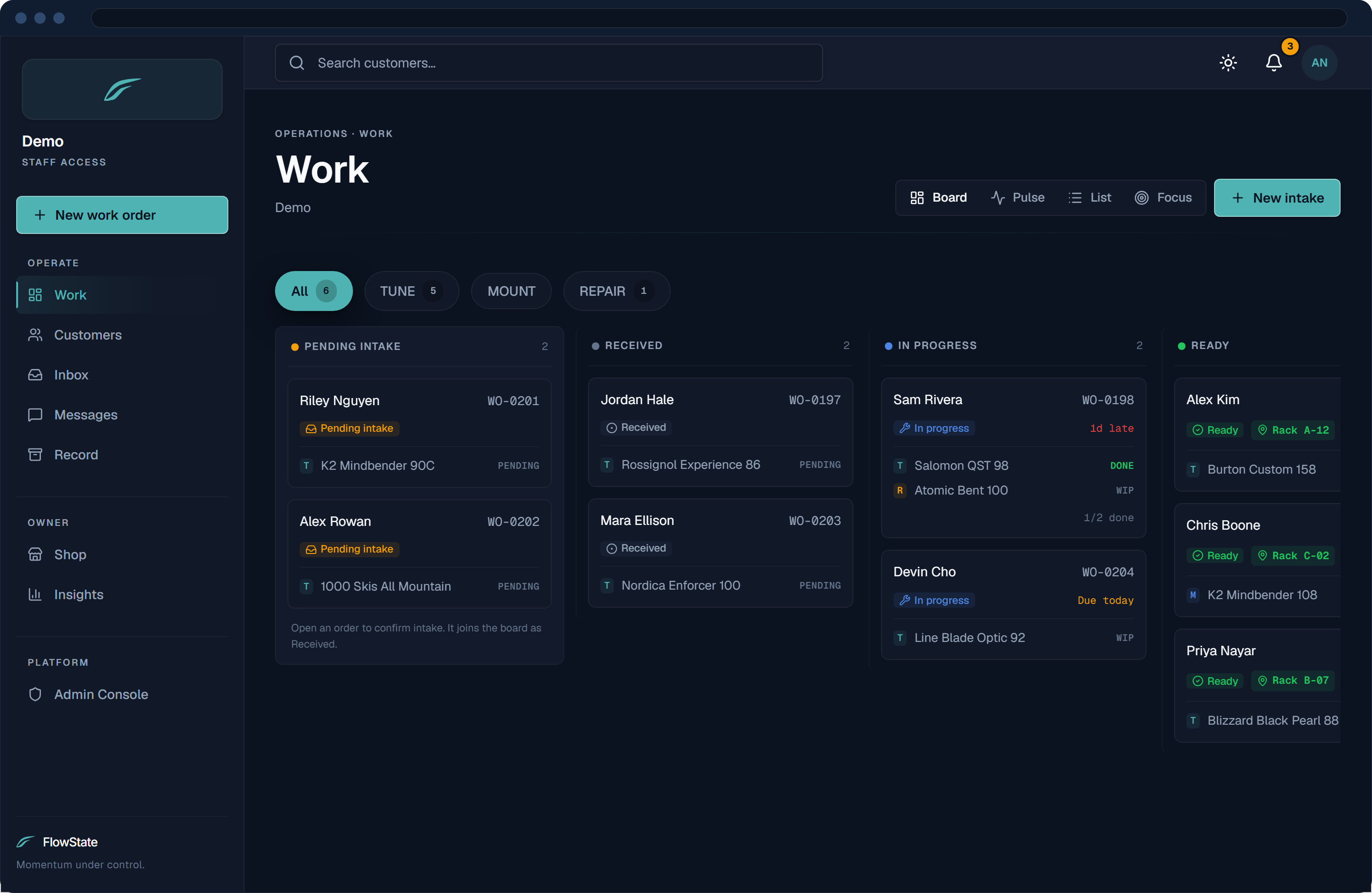
Every live work order on one board, across clear lanes — awaiting service, in progress, ready, customer notified — so the whole shop reads the same truth at a glance.
Item-driven lifecycle
Move each pair from pending to in progress to done, and the work order’s stage follows. You update the items; the order keeps itself in step.
Intake triage & promised-by dates
Customer submissions land as “needs intake.” Set a promised-by date and confirm to activate — and see at a glance what’s overdue, due today, and ready to go home.
Printable work-order tags
Print a physical tag straight from the work order, so the gear on the rack always points back to its digital record.
Shop-scoped staff access
Staff sign in to their own shop and see its queue, its orders and the customers it has served. Staff logins are set up with you during onboarding. Each location runs as its own shop.
When the gear’s ready the customer hears it — and when they text back, the reply lands where their work orders are.
Completion email
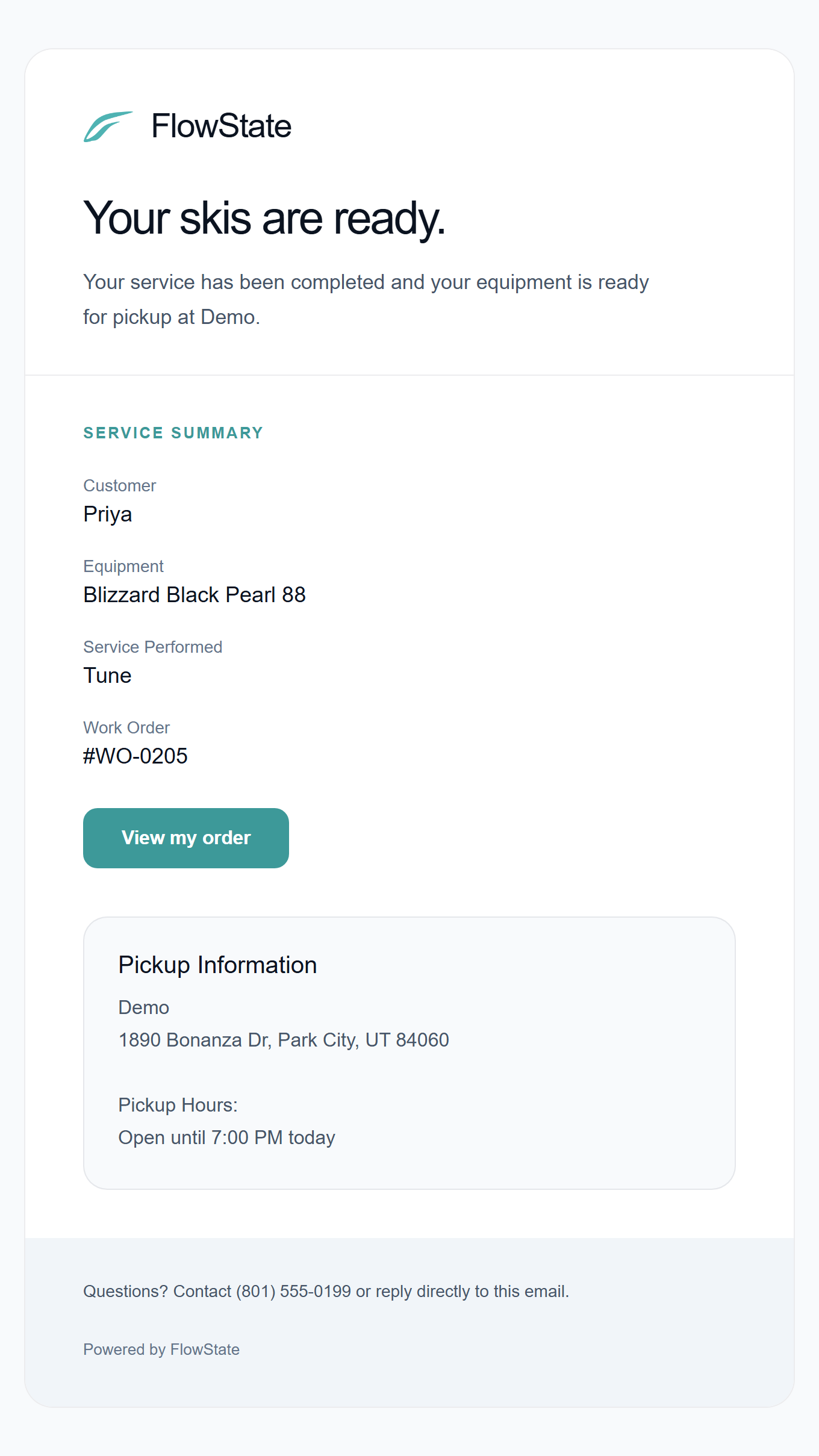
When the order is ready, the customer gets a “your skis are ready” email with a service summary and pickup details, in your shop’s name.
Your shop’s name on every message
Your shop’s name and logo appear on the request page, the tracking page and the emails, with replies going to your shop’s address. You can edit the wording of the ready text.
Automatic text (SMS) alerts
Once texting is set up for your shop, customers who opt in get a text with their tracking link when the order comes in, and another when it’s ready. STOP and HELP are handled for you.
Two-way texting inbox
Customers text back, and their replies land in one shared inbox with that customer’s open work orders beside the conversation. Unread counts follow you around the app, so nothing sits unanswered.
Shop analytics & insights
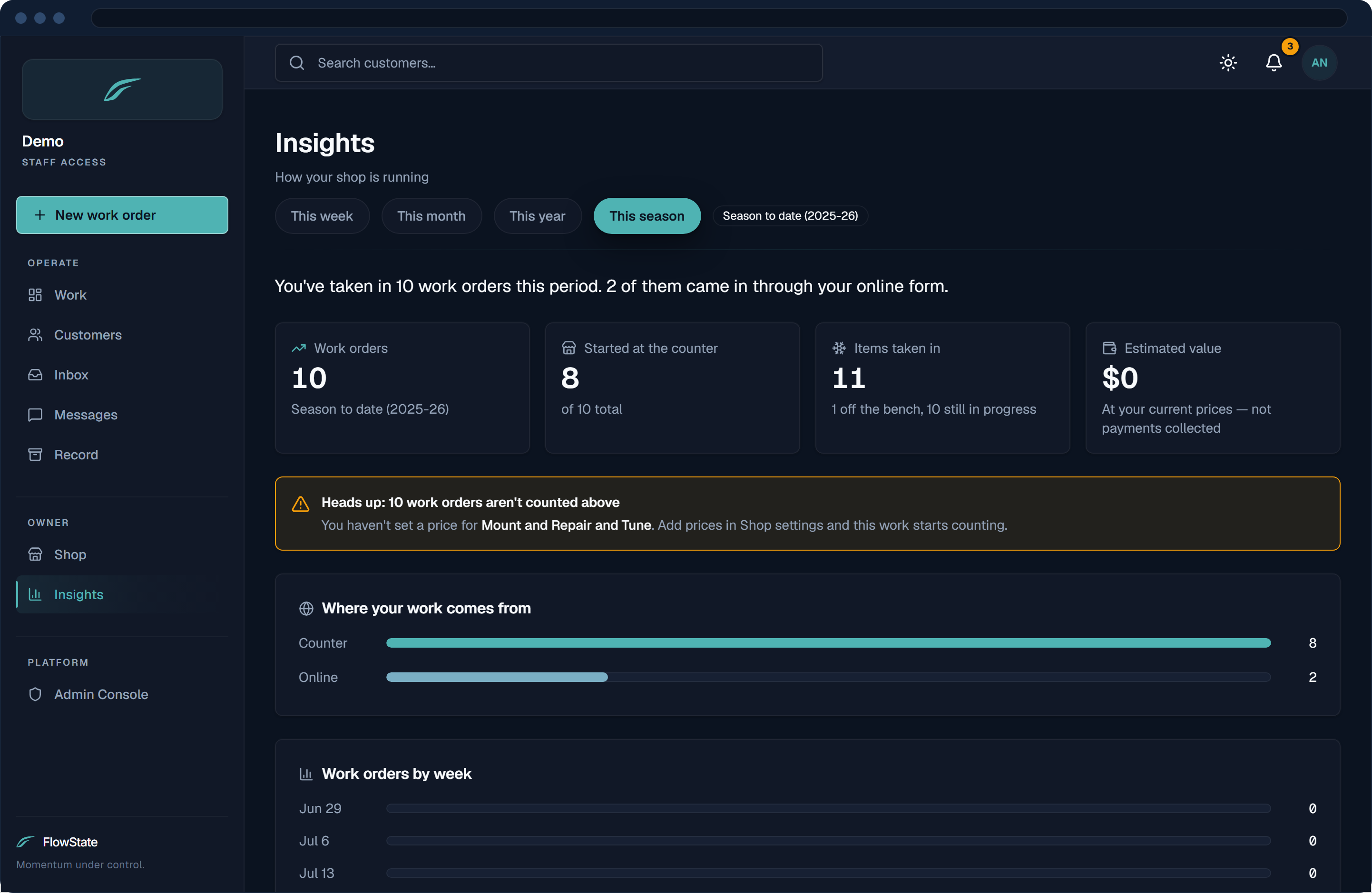
How much work came in and what it is worth at your own prices, how much started at the counter versus online, your week day by day, and your service mix.
No invented stars. Just what’s actually true.
Built by Reiter Solutions
A studio building custom software with skin in the game — not a faceless SaaS marketing engine.
Signed mount agreements
The customer reads your mounting agreement and signs it on their phone, with a drawn signature and their typed name. The signed PDF is kept with the work order.
Your shop’s work stays with your shop
Staff see their own shop’s orders and gear, and only customers the shop has served. The separation is enforced in the app and tested on every build.
Direct line to the founder
Email and a real conversation about what your shop needs — not a ticket queue, not a chatbot, not a sales SDR.
The honest answers.
- What about walk-ins who never used the intake link?
- You don’t need the link. Staff start a work order at the counter: the customer, the gear, the service, done. The online page is a head start for customers who want to fill it out first. Nothing depends on it.
- What if the shop’s internet goes down?
- FlowState runs in the cloud, so it needs a connection. If your shop Wi-Fi drops, staff can keep working from a phone on cell data, and because every change saves the moment you make it, nothing on the bench gets lost when you’re back online.
- Do you integrate with my POS, like Lightspeed?
- Not today, and it’s not on the near-term roadmap. FlowState runs beside your POS with no sync: your POS keeps handling sales and payments, and FlowState handles the work order, from intake and the bench to pickup and the record. That means the customer and the job live in both systems. If that changes, I’ll say so here.
- How long from signup to my first real work order? Who sets it up?
- The 7-day demo is ready once you confirm your email, with sample data loaded, so you can run an order the same day. A live shop is set up with me: your services and prices, your staff logins and your mounting agreement. Texting follows once the carriers approve your registration, usually about 10 to 15 days.
- Will my seasonal staff be able to use it?
- The app is a counter screen, one board and the work order itself, and each pair moves with a status change. There’s a step-by-step Help Center for the details. The demo shop is the quickest way to judge it with your own crew.
- Can I export my data? What happens if I cancel?
- Your work orders and customer records are yours. Service history is never deleted while your shop is active, and if you ever leave, we’ll get your data to you rather than hold it hostage.
- What happens after the 7-day demo?
- It expires, and that’s it. The demo is sample data for evaluation, with no card on file — so nothing auto-charges and nothing renews. If you want to keep going, you move to a live shop. If you don’t, you walk away and nothing happens.
- Email or text notifications when gear is ready?
- Both, once each is set up. When the order is ready, the ready email goes out on its own with a service summary and pickup details. A new order also emails the customer a private tracking link. Customers who opt in get texts at the same two moments, once your shop’s texting is approved by the carriers. I set that up during onboarding; it usually takes about 10 to 15 days. If a customer texts back, the reply lands in your shop inbox beside their work orders.
Follow every pair to pickup.
One work order from the counter to the bench to pickup, and a customer who hears when their gear is ready.
No card · 7 days · your own private shop
Stay attached. Carry speed.