Your shop has a public web page where customers can start a service request before they even arrive — entering their details and what they need done. Each submission becomes a Pending intake job for your team to review and confirm. It saves time at the counter and captures the customer's information up front.
Who can use it
- Customers use the public page — no sign-in needed.
- Everyone on your shop's team can review and confirm the requests that come in.
- Which services appear online, and the shop's branding on the page, are set in Shop Settings.
How to use it
What the customer does
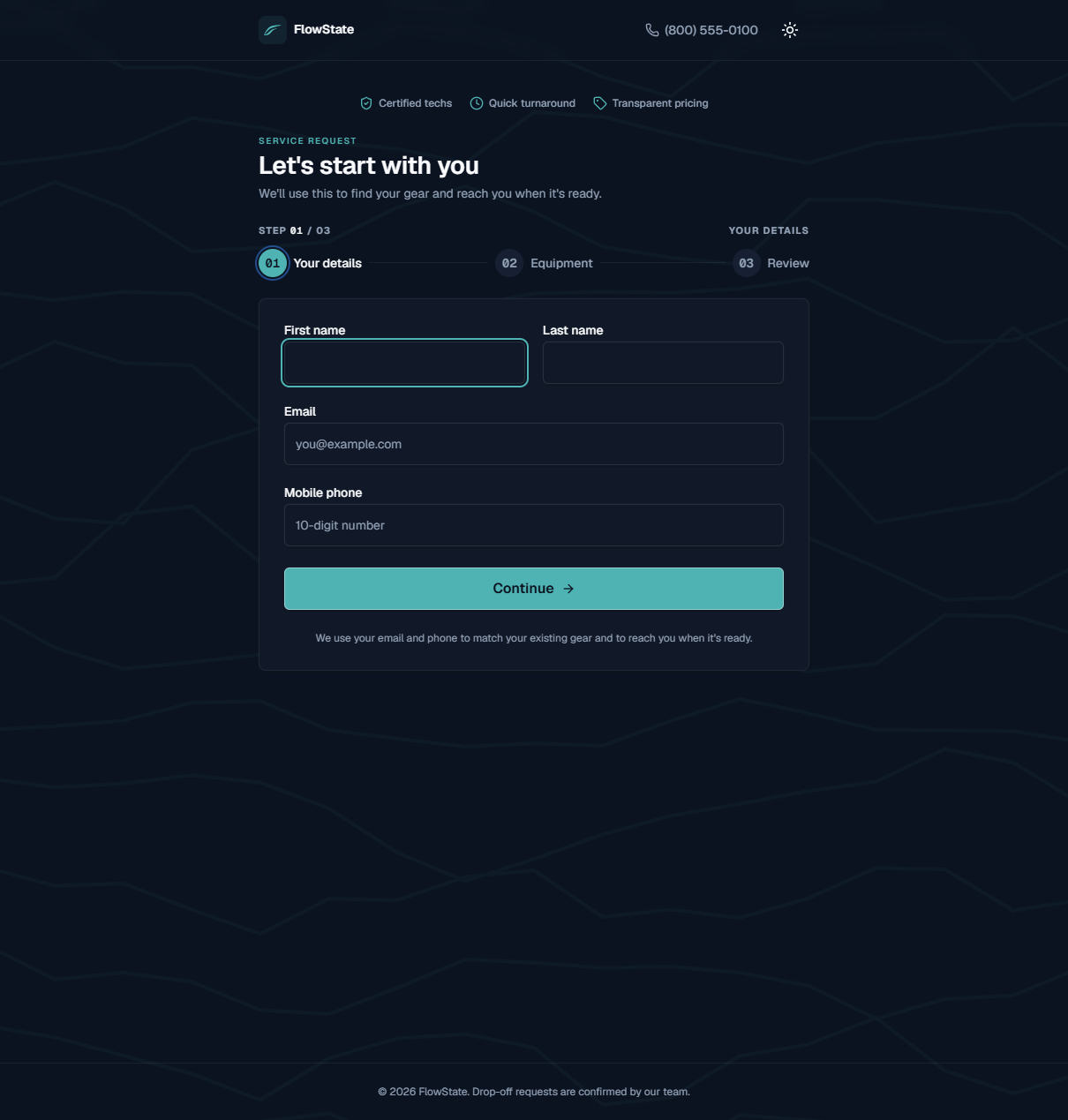
The public page walks the customer through three steps:
- Your details — first name, last name, email, and mobile phone.
- Equipment — the gear and the service they want.
- Review — they check everything and submit.
The page is branded with your shop's name and logo and shows your shop phone number for questions.
How you review a request
- A new request appears in the Inbox under the Intake tab and in the Pending intake column on the Work board.
- Open the request and check the customer and equipment details.
- Set a Promised by date and click Save.
- For a mount, send and collect the waiver — see Mounting Agreements.
- Click Confirm intake. The job becomes Received and active. See Managing a Work Order.
Share your online request page
Point customers to your shop's request page — for example, link it from your website, or include it in a text or email. (The sign-in screen also has a Submit a work order link for customers dropping off gear.)
What to expect
- Submitting a request creates a Pending intake job — it is not active until staff confirm it.
- The customer's details are saved so their gear and contact info are ready when you review.
- New requests show up in both the Inbox and the Pending intake column, and in the notifications bell.
- The page reminds customers that drop-off requests are confirmed by your team, so they know a person reviews it.
Limitations
- Only services set to Offer online appear on the public page. See Shop Settings.
- A request is a starting point, not a finished job — it always needs staff review and confirm intake before work begins.
- Customers can't see your board, your behind-the-scenes prices, or other customers' information — only the request form.
Frequently asked questions
Where is our online request page? It's your shop's public request page. Contact FlowState if you need the exact web address to share with customers.
Does an online request hold a spot or a time slot? No. It collects the customer's info and what they need. Your team confirms it and sets the promised-by date.
Why don't all our services show online? Only services marked Offer online appear. Anyone with a login can turn each one on or off in Shop Settings.
A customer submitted twice. What do I do? Review both in the Inbox and confirm the correct one. Check how your shop handles the duplicate.
Do customers get a confirmation? Customers are reached using your shop's messaging settings as their job progresses (for example, when it's ready). See Managing a Work Order and Shop Settings.
Troubleshooting
- A request has missing or odd details. Customers fill in what they can. Confirm the rest with the customer, complete the order, then confirm intake.
- Requests aren't coming in. Make sure customers have the correct page address, and that the services you expect are set to Offer online in Shop settings.
- I can't find a request I saw earlier. If you already confirmed it, it's now an active Received job on the Work board.